You can add a ‘tag’ to help you organise your pupil notes into simple categories. These are
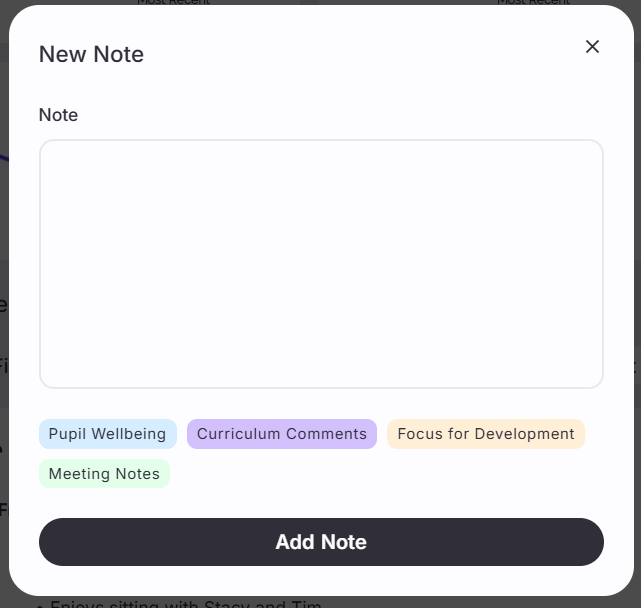
Pupil Wellbeing
Curriculum Comments
Focus for Development
Meeting Notes (made during the actual meeting)
Parent Comments (made by parents in advance of the meeting when they book a slot)
Here’s how you do it:
Step 1
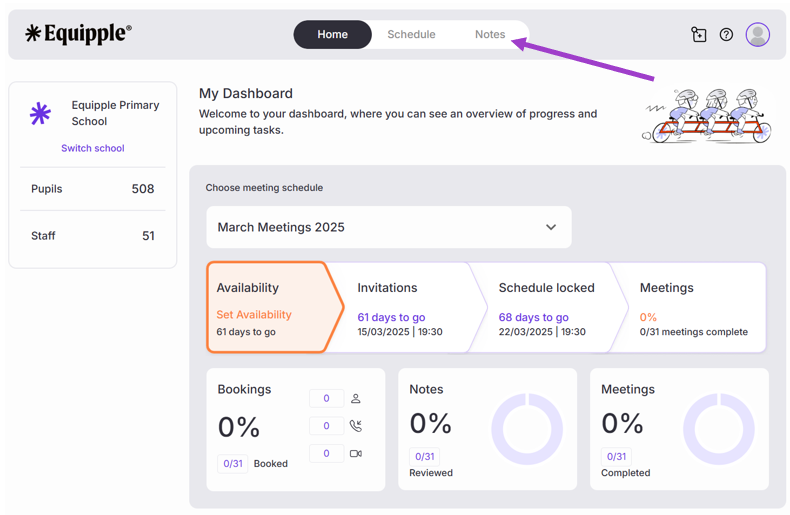
- From the Equipple ‘Home Screen’, you want to click the tab at the top bar which says ‘Notes’.
Step 2
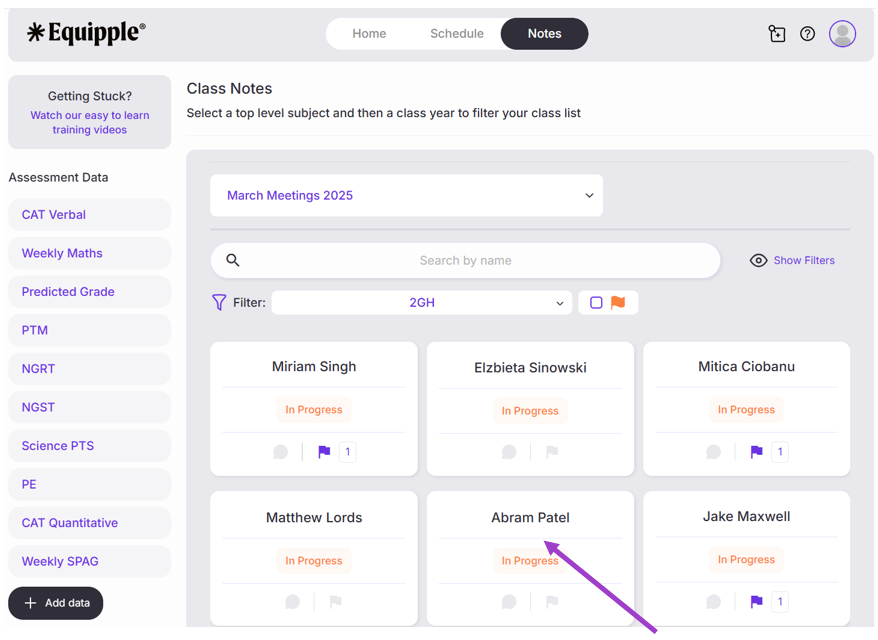
- From here, scroll down and click on the name of the pupil in which you would like to make a note for.
Step 3
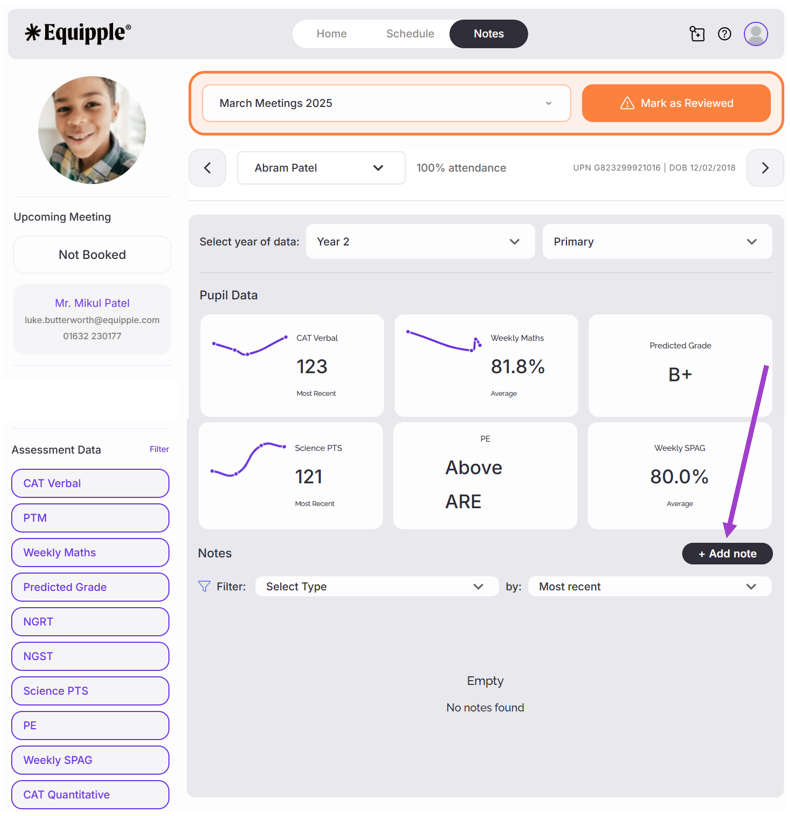
- You will be taken to the pupil’s individual profile page. From here, click the ‘+ Add note’ icon on the right-hand side.
Step 4
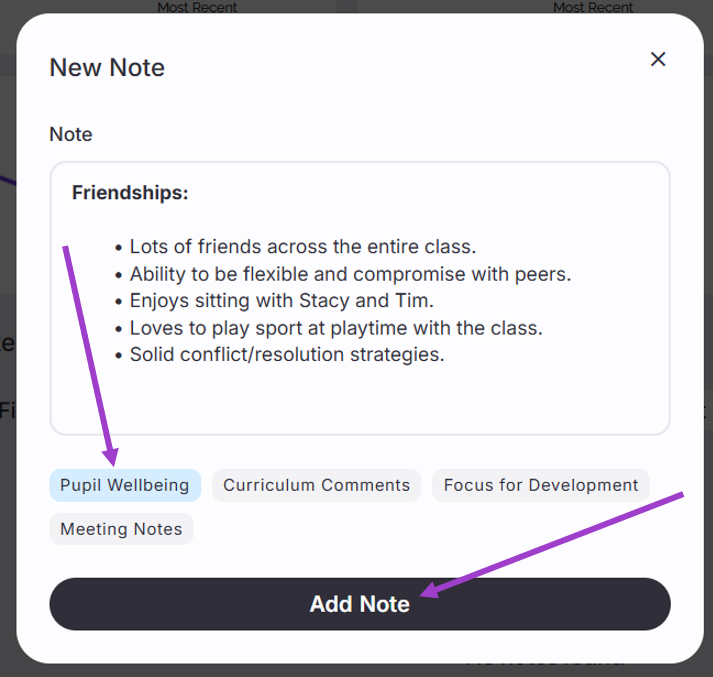
- A ‘New Note’ pop-up tab will open. Click on the category (tag) in which you would like the note to be part of. For example, if the note is about ‘friendships’, this will likely go in the category of ‘Pupil Wellbeing’. Click on the category (tag) and it will highlight into a corresponding colour. Type your note into the text box and click ‘Add Note’.
Step 5
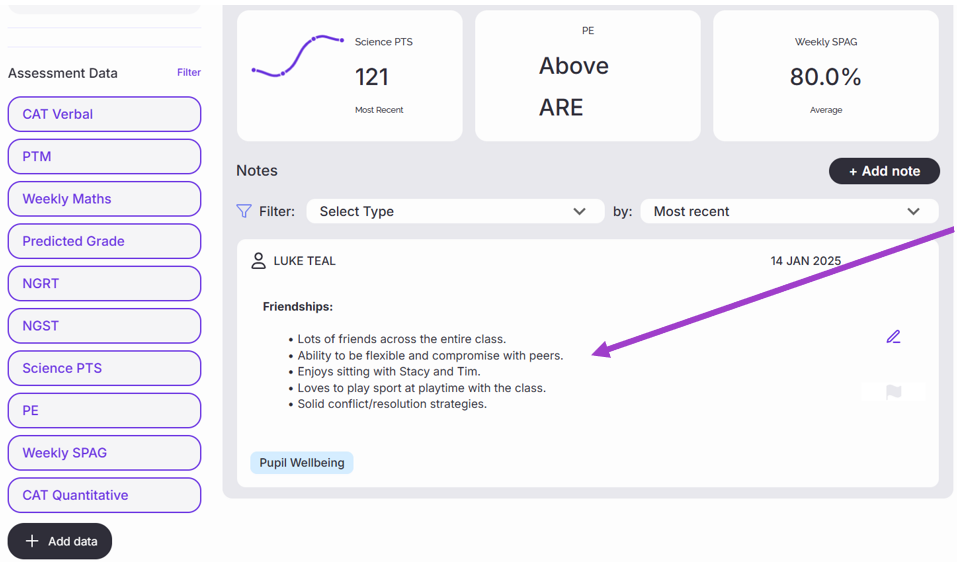
- As you are taken back to the pupil’s individual profile page, you will now see that the comment has been added to their profile, underneath their assessment data.
Step 6
- You can now repeat that action to populate your notes for that individual pupil. There are four categories of notes you may wish to choose from:
Step 7
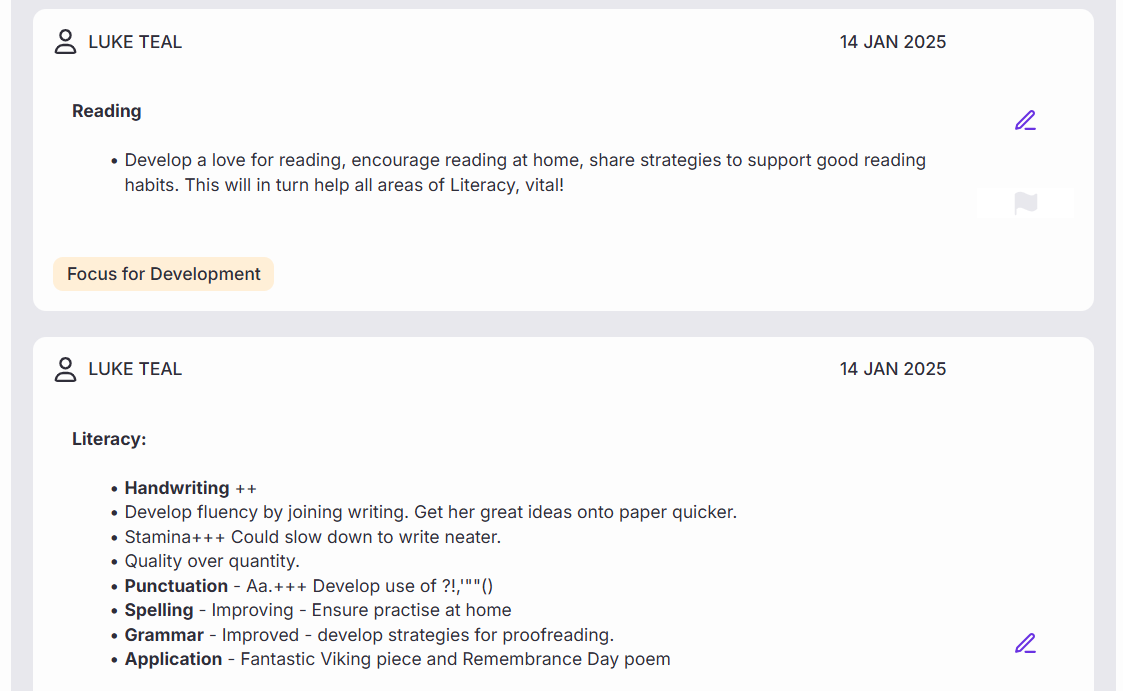
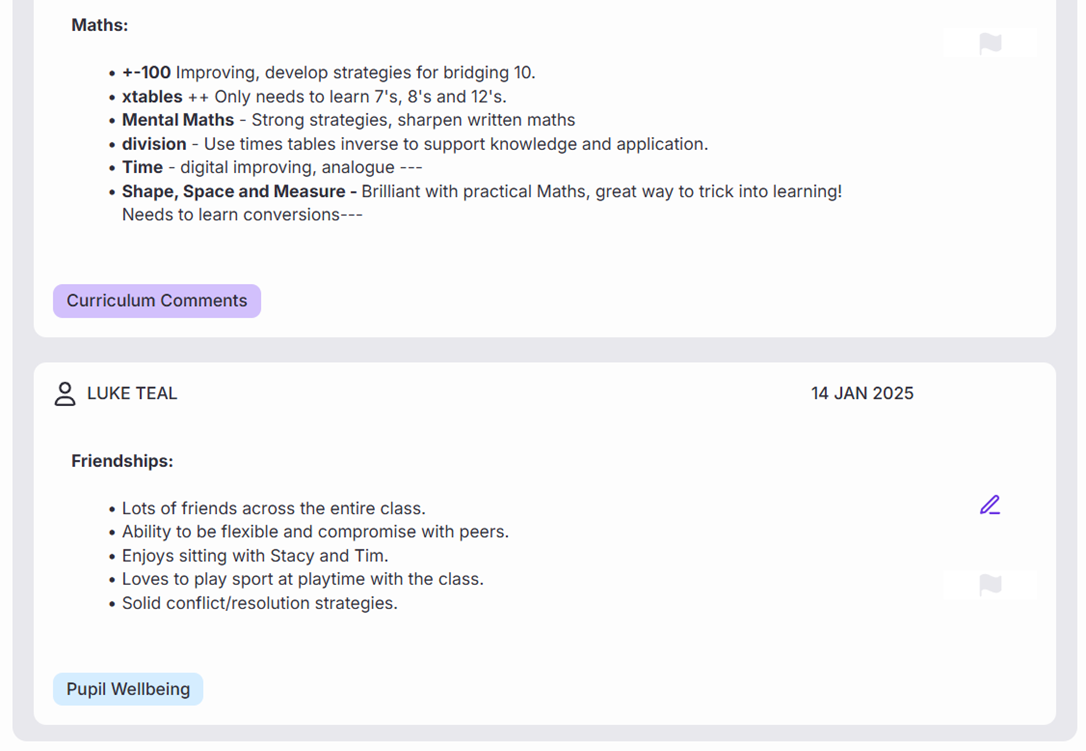
- When you have saved a range of comments across all categories, you will be left with a holistic set of notes ready for your meeting with that child's Parent/Guardian.
Step 8
- Later, you can filter your comments by category so you can view just one of them whilst discussing that specific aspect of the meeting. To do this, click the 'Select Type' button. A list of categories will drop down, select the specific category (tag) you would like to have on view.
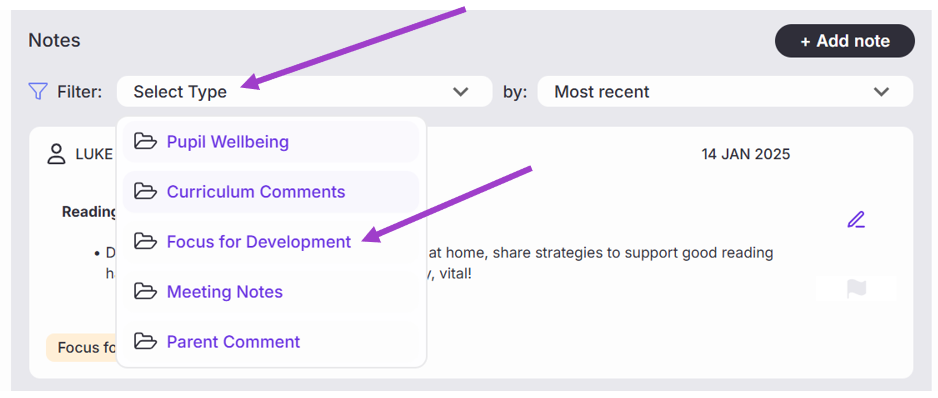
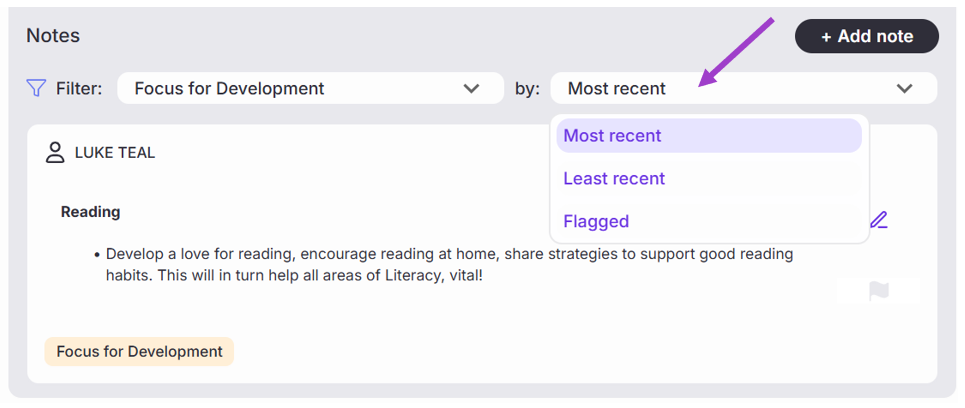
- You can also filter your comments by the most/least recent and also those ‘flagged’ tags which are areas that require particular attention following meetings.
You are now well on your way in preparing for your Parent/Teacher meetings!
Was this article helpful?
That’s Great!
Thank you for your feedback
Sorry! We couldn't be helpful
Thank you for your feedback
Feedback sent
We appreciate your effort and will try to fix the article