The Forward Focus is an AI-written summary of a pupil's progress, generated for each meeting subject and shown to you before you meet the parent. You can refine it and, when you're happy with it, you can evenmake it visible to the parent depending on how your school has set up the meeting.
Step 1 – Open the pupil's ‘Key Info’ tab
• From ‘Meetings’, open the live meeting and select the pupil. Their panel opens on the right, with ‘Key Info’, ‘Notes’, ‘Assessments’ and ‘Behaviour’ tabs across the top.
• ‘Forward focus’ sits near the top of ‘Key Info’, tagged with the class and subject it was generated for.
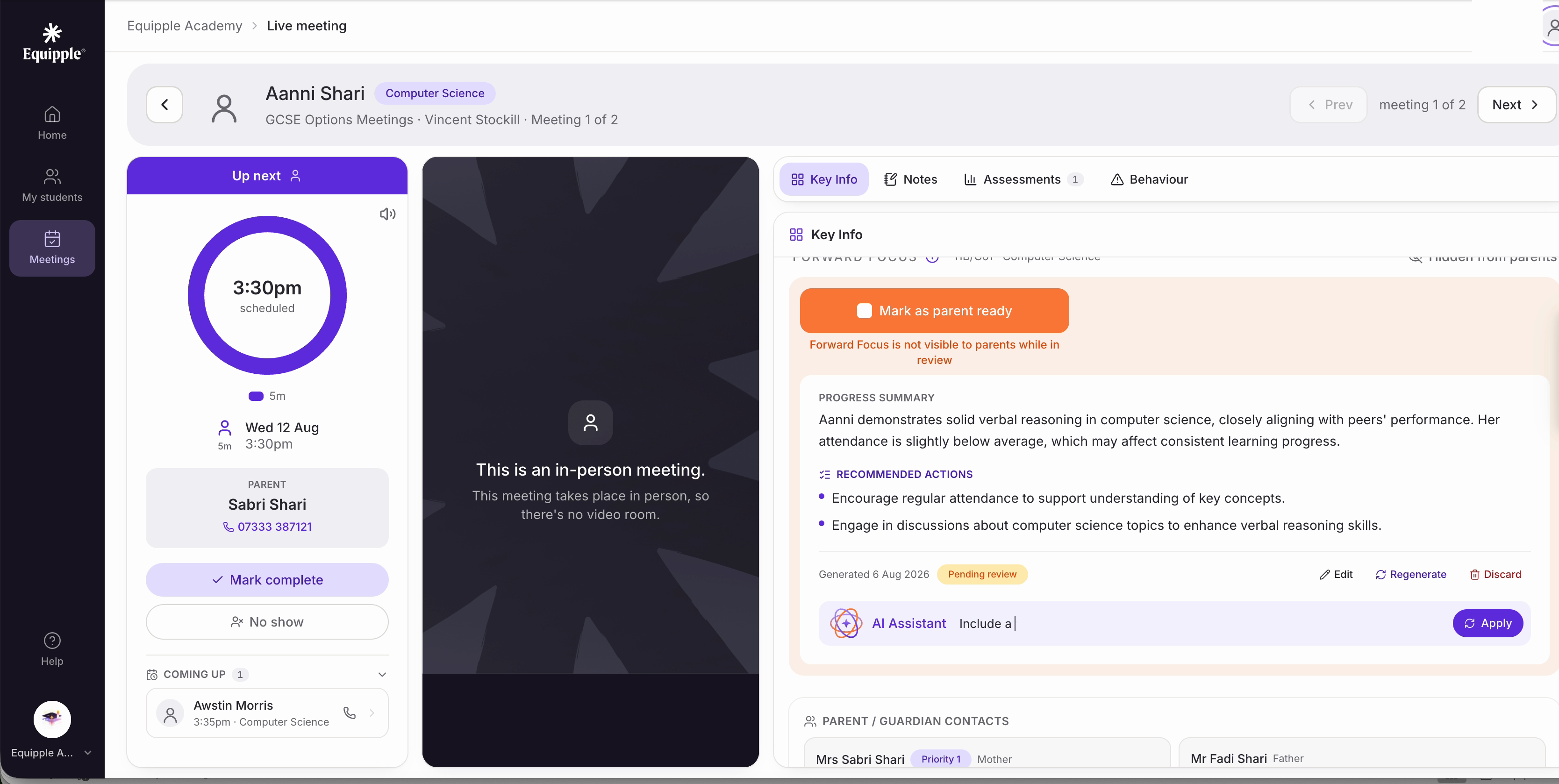
Nb. Forward focus is generated per pupil and per subject, not once per pupil overall. If you teach the same child in two subjects, expect two separate ones.
Step 2 – Read the summary and actions
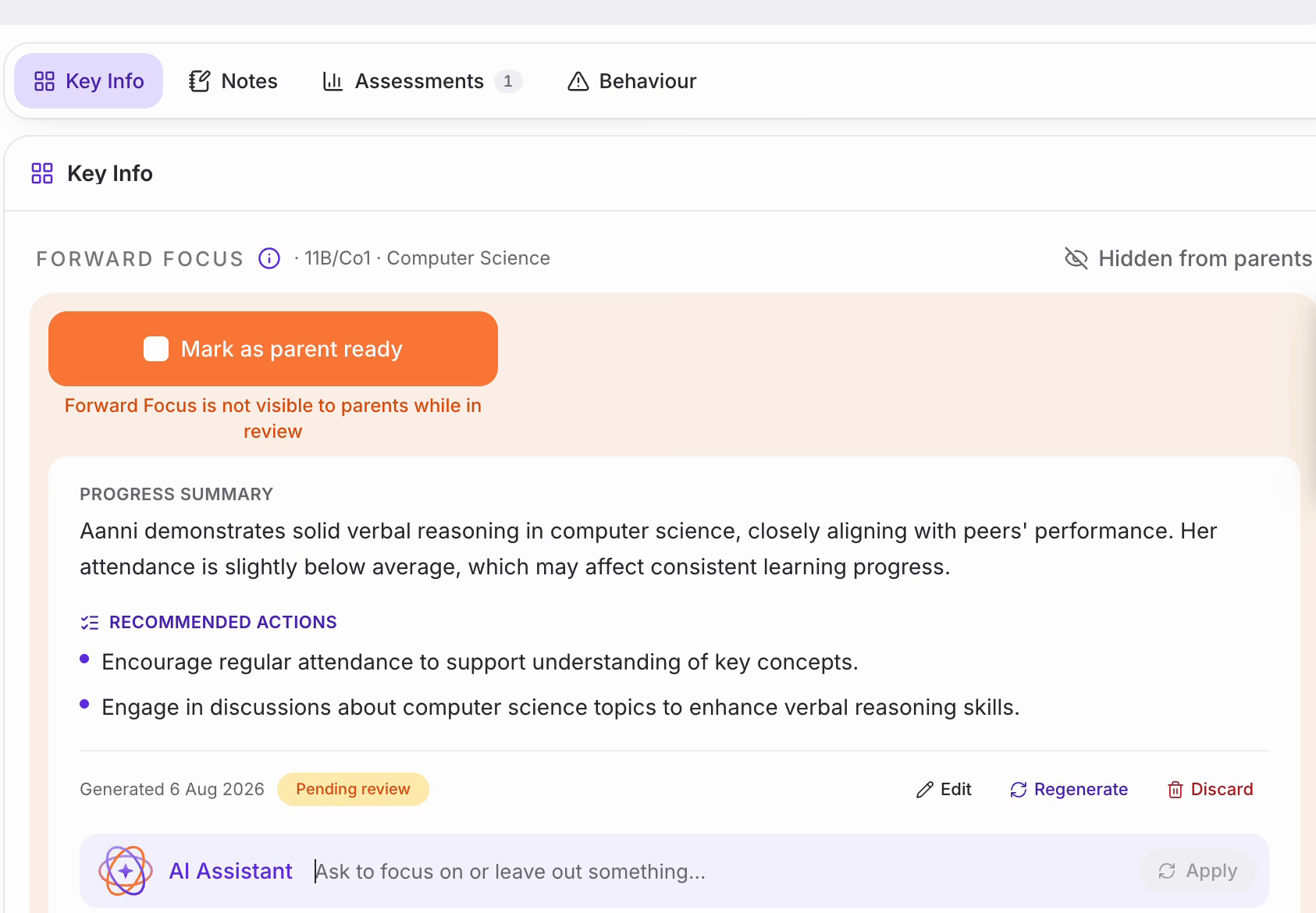
• ‘Progress summary’ is a short paragraph on how the pupil is doing. ‘Recommended actions’ underneath lists a few concrete suggestions as bullet points.
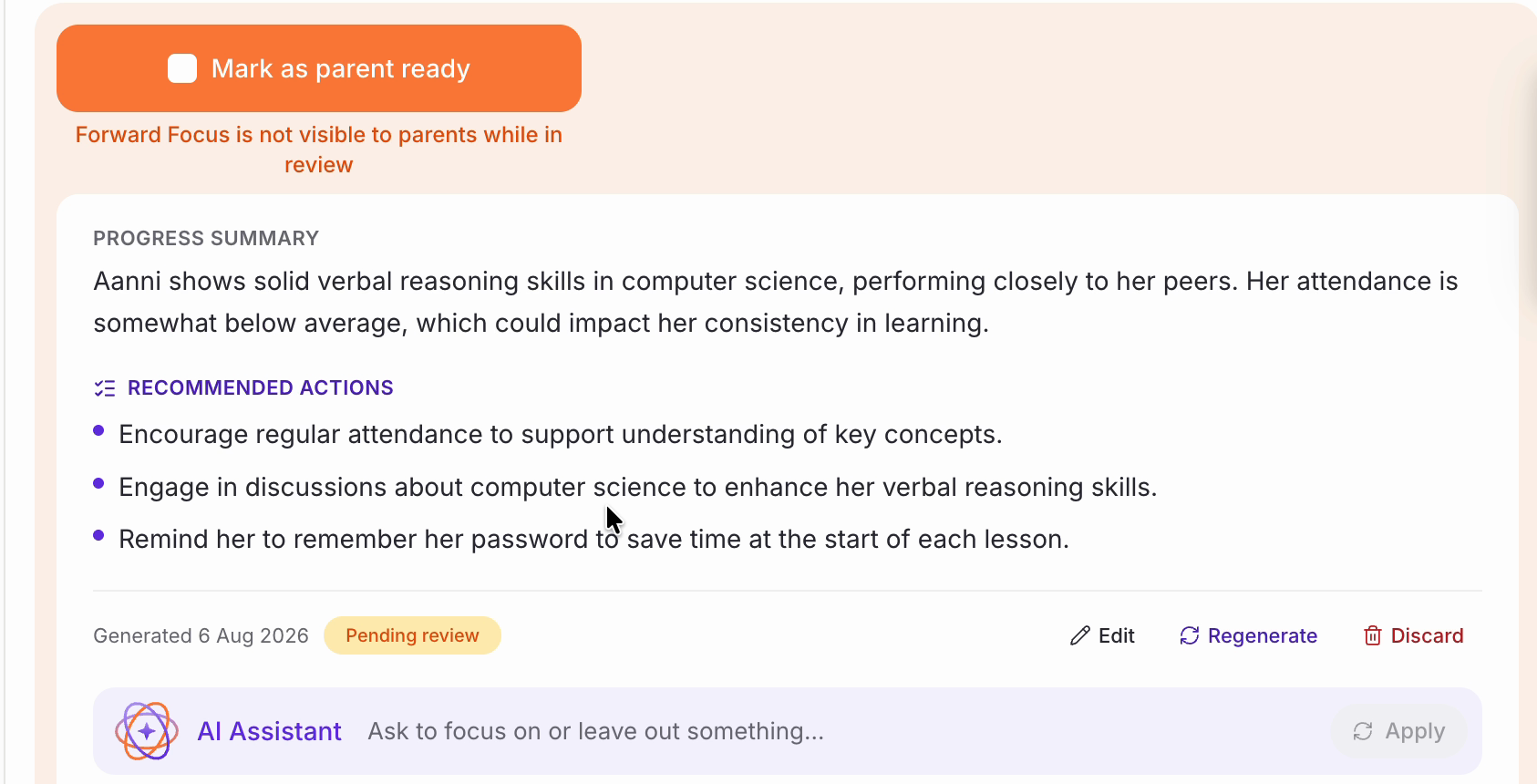
• While you're reviewing it, it's marked ‘Pending review’ and ‘Hidden from parents’ — the text underneath the ‘Mark as parent ready’ button spells this out too.
Step 3 – Editing or Asking the AI Assistant for a change
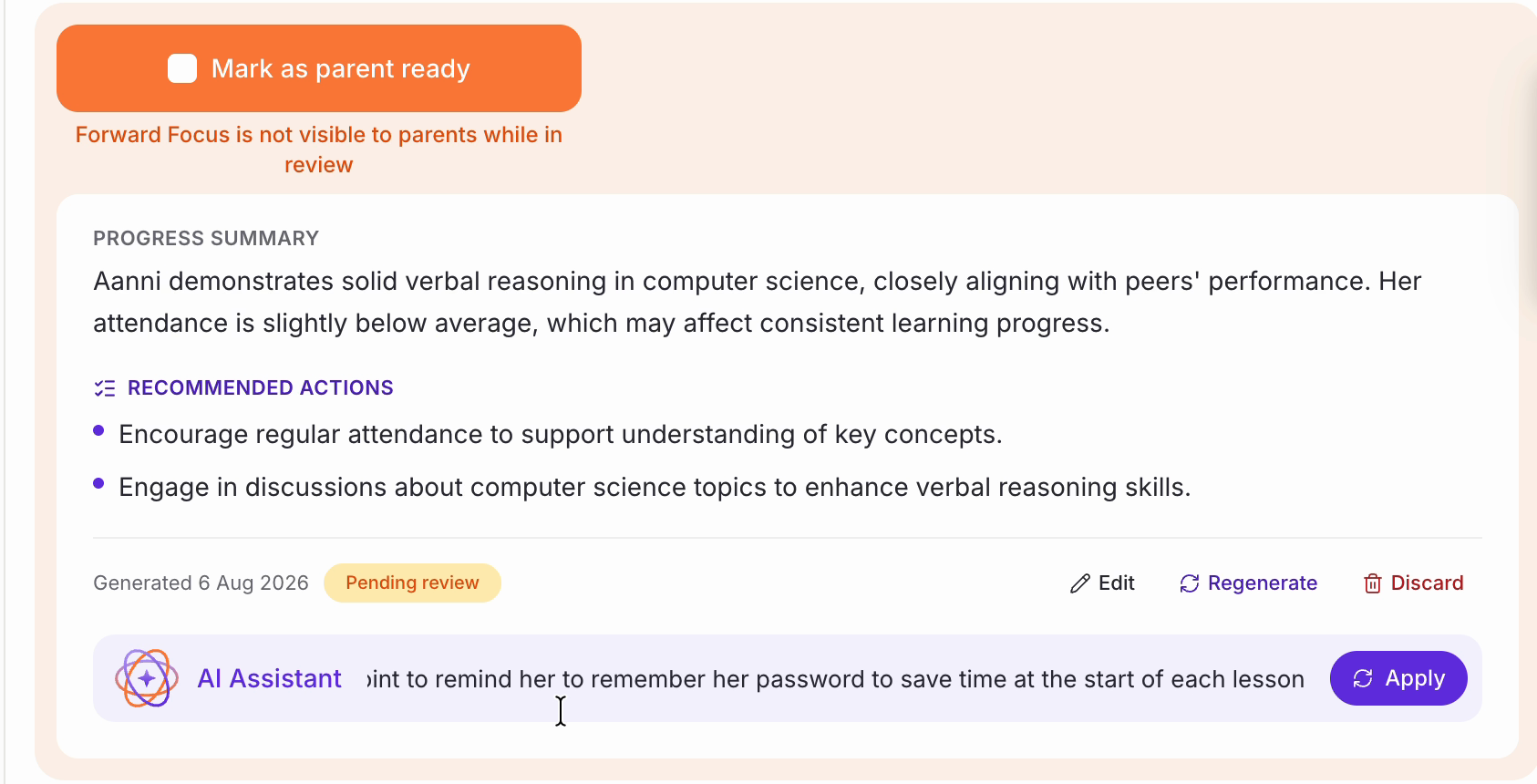
• If something's missing or worth adding, you can simply type it directly into the summary or you can type an instruction into the ‘AI Assistant’ box at the bottom of the card — for example, asking it to include a bullet point reminding the pupil about something specific.
• Click ‘Apply’.
• ‘Regenerate’ is replaced with ‘Regenerating…’ while it works, and the AI Assistant box clears to a fresh prompt so you can ask for another change once this one lands.
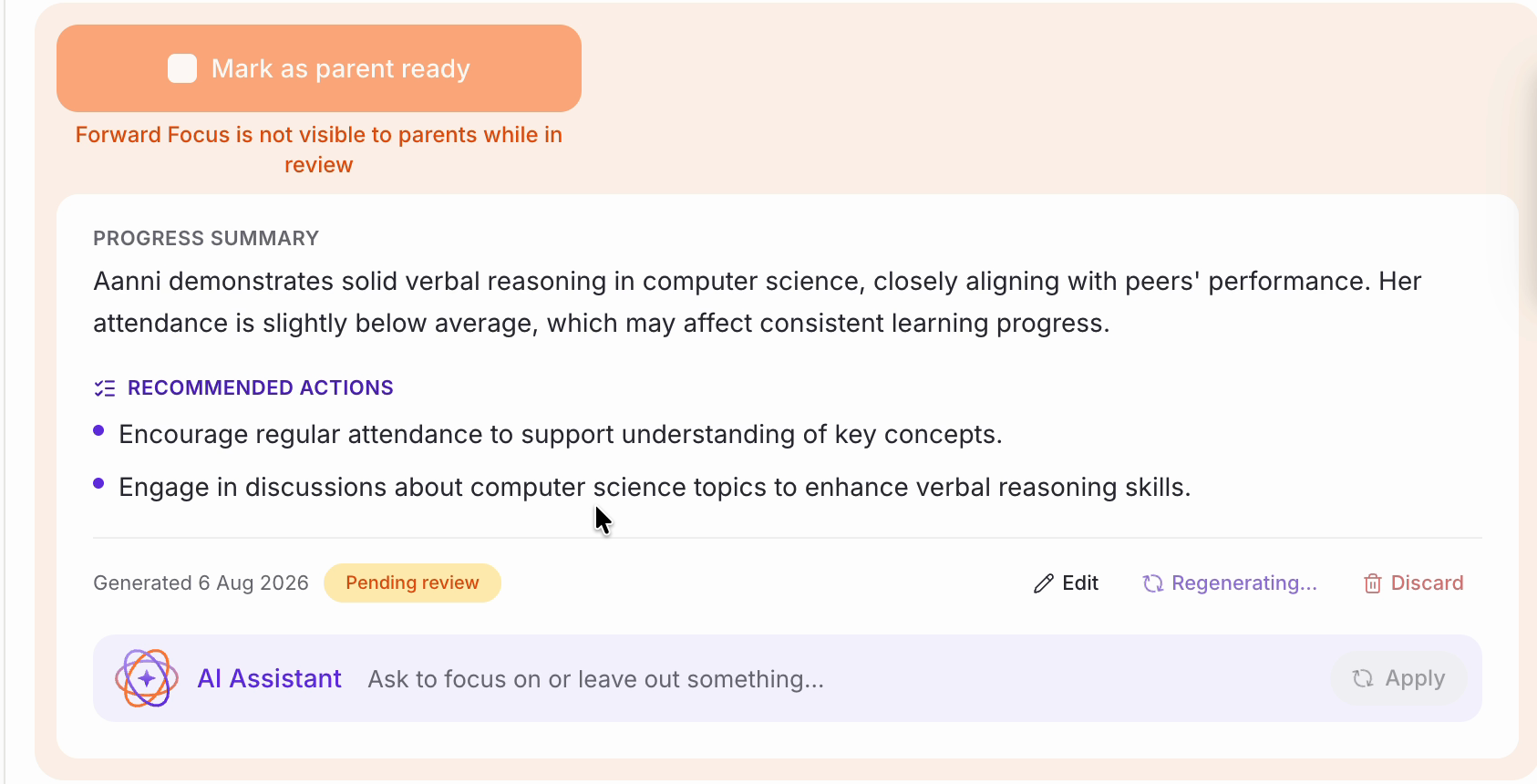
• Both the summary and the action list can change, not just the bit you asked about — worth reading the whole card again rather than just checking for your addition.
Step 4 – Make it visible to the parent
• Happy with it? Tick ‘Mark as parent ready’.
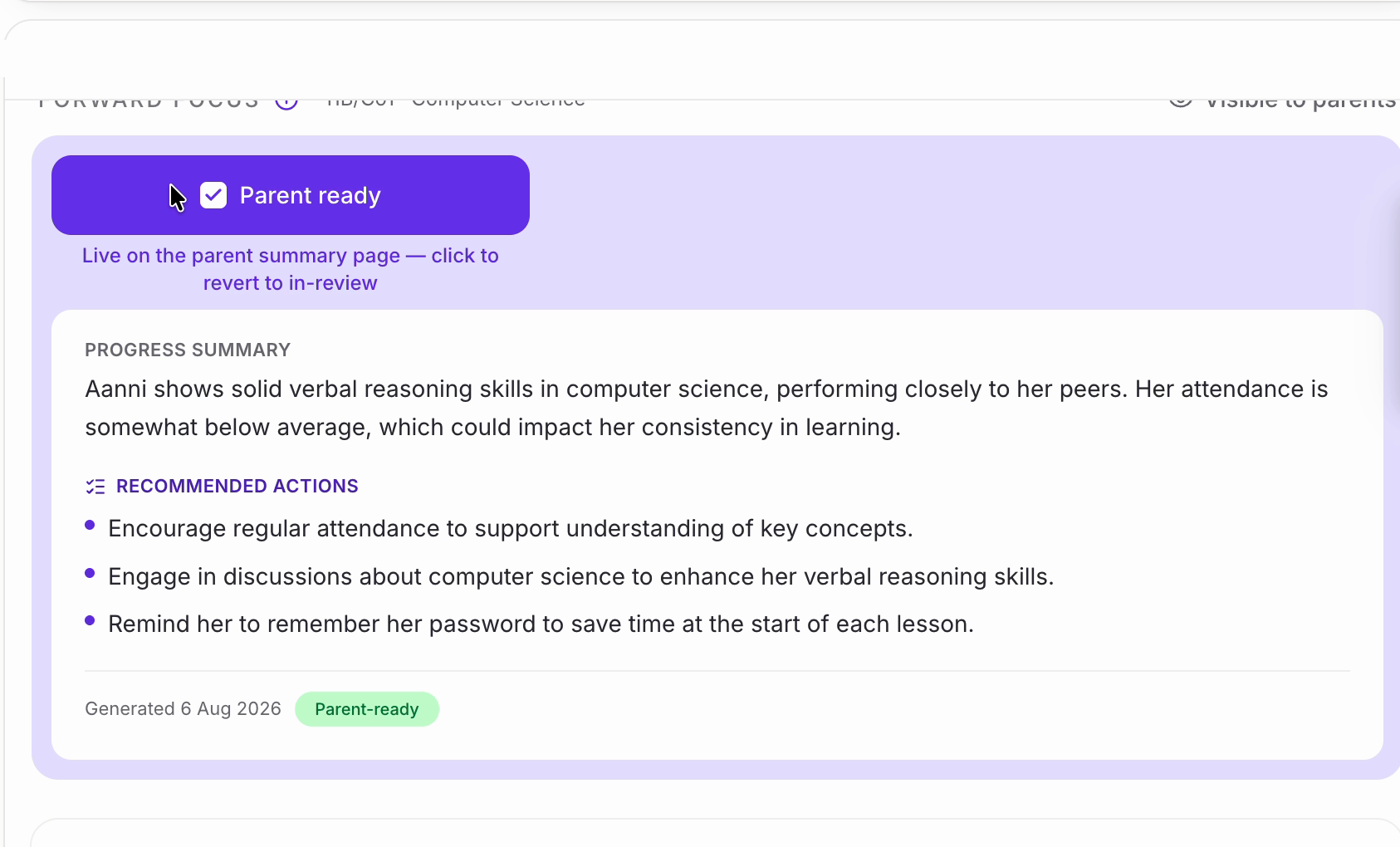
• The card turns purple and the button becomes ‘Parent ready’, ticked. The text underneath now reads ‘Live on the parent summary page — click to revert to in-review’, the label in the top right switches to ‘Visible to parents’, and the badge by the generated date changes to ‘Parent-ready’.
Was this article helpful?
That’s Great!
Thank you for your feedback
Sorry! We couldn't be helpful
Thank you for your feedback
Feedback sent
We appreciate your effort and will try to fix the article