This article will help you edit or amend a result from the Data Centre in your notes page
If you need to edit any assessment data for a pupil then just follow these simple steps:
1- Click on the 'Data Centre' when you are in the Notes tab.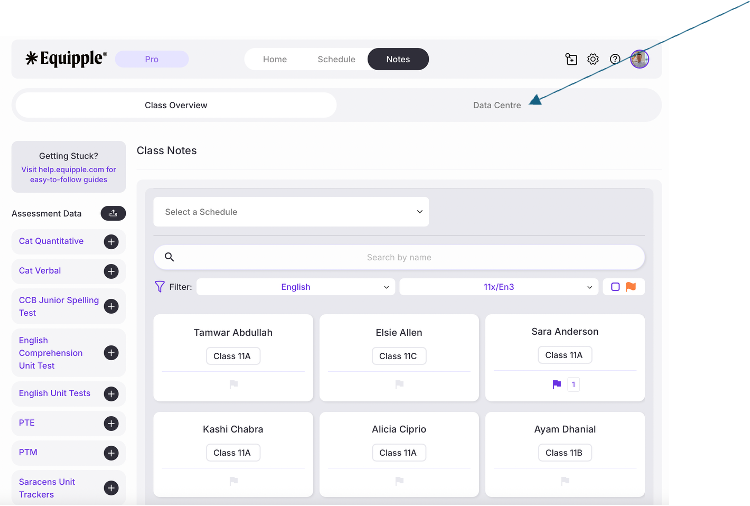
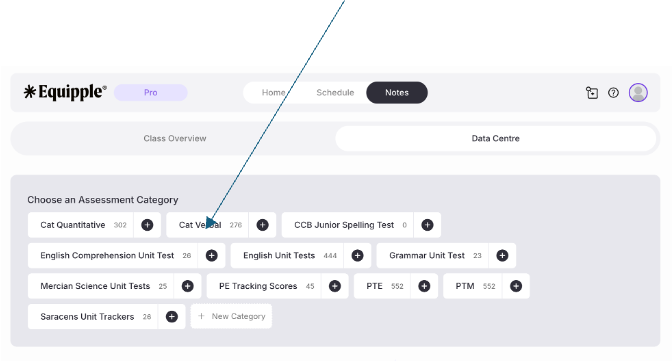
2- You will see all of the the assessment data for your class (or the school depending if you're signed in as an admin or a teacher). Select the data widget that you would like to amend a score for.
Remember to click on the tab not the '+' icon as this shortcut will take you straight to a way to upload assessment data quickly rather than amend it.
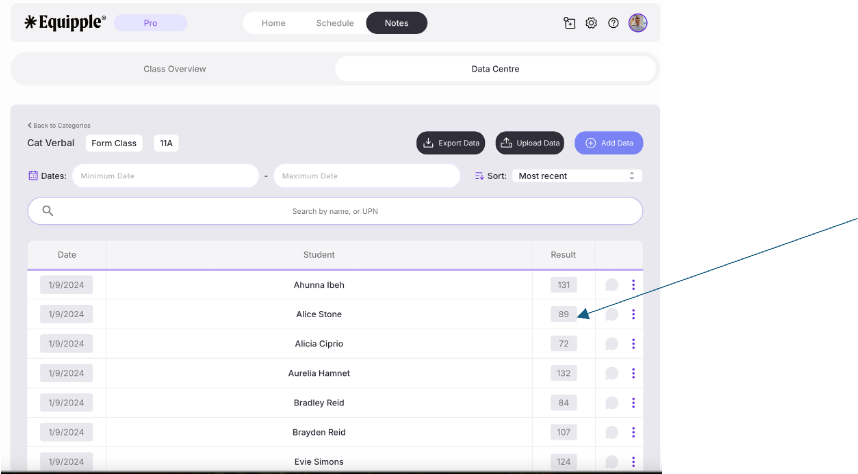
3- Simply change the score you would like to amend and click enter.
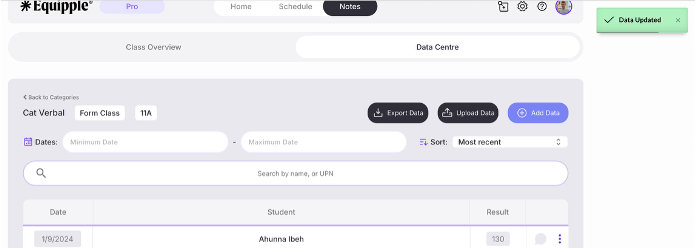
Equipple will then automatically save the changes. When you refresh the screen that data will be amended for that pupil.
Was this article helpful?
That’s Great!
Thank you for your feedback
Sorry! We couldn't be helpful
Thank you for your feedback
Feedback sent
We appreciate your effort and will try to fix the article