Equipple doesn’t use passwords. Each time you sign in, you’re sent a short code by email instead. Here’s how it works.
Logging in for the first time? Read this article first.How To Log In
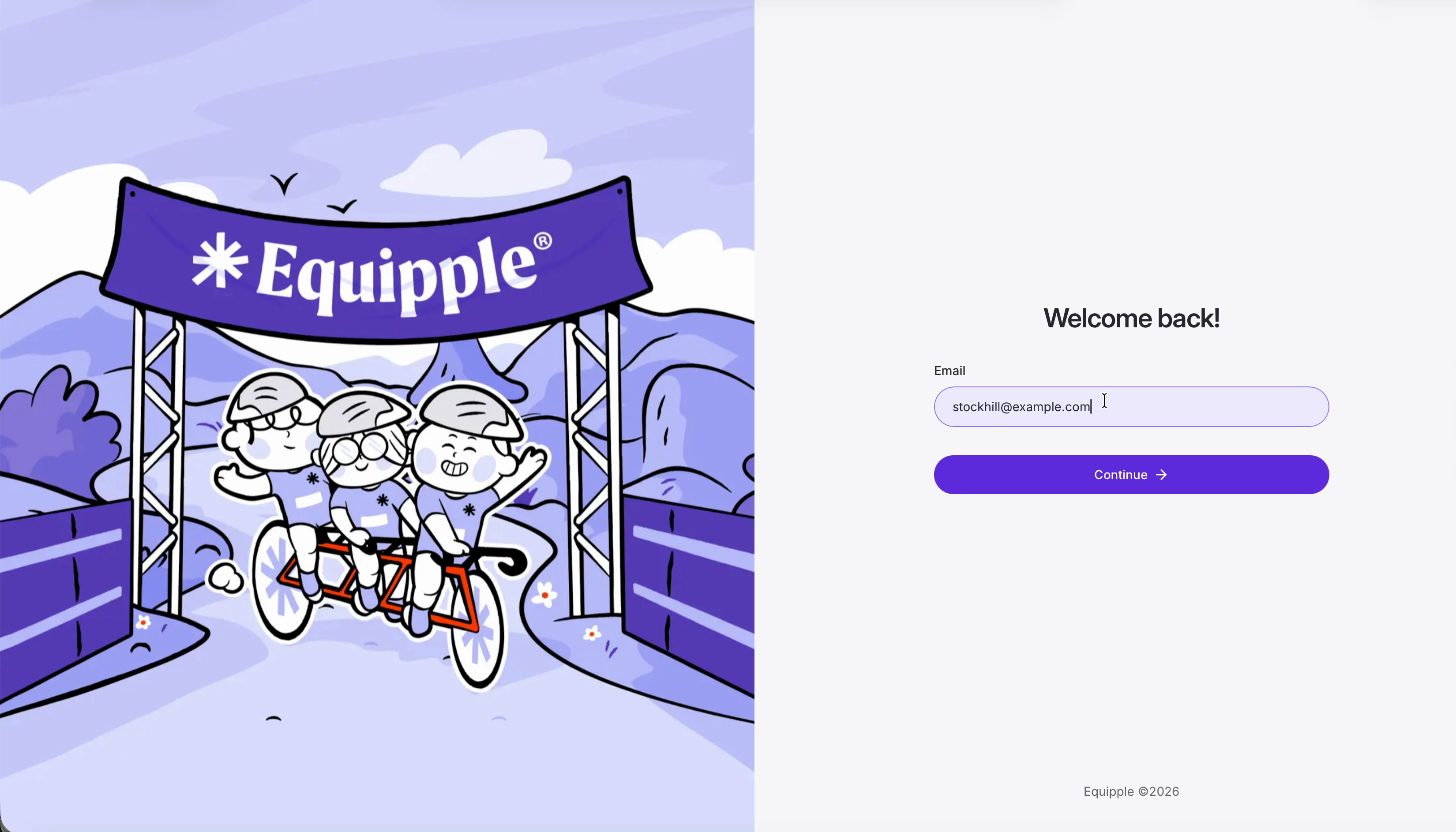
Step 1 – Enter your email address
• Go to Equipple and type the email address your school has on file for you.
• Click ‘Continue’.
Step 2 – Check your inbox for the code
• Within a few seconds, Equipple emails a six-digit code to that address. The page confirms which address it went to.
• If it hasn’t arrived after a minute or so, worth a check in junk or spam.
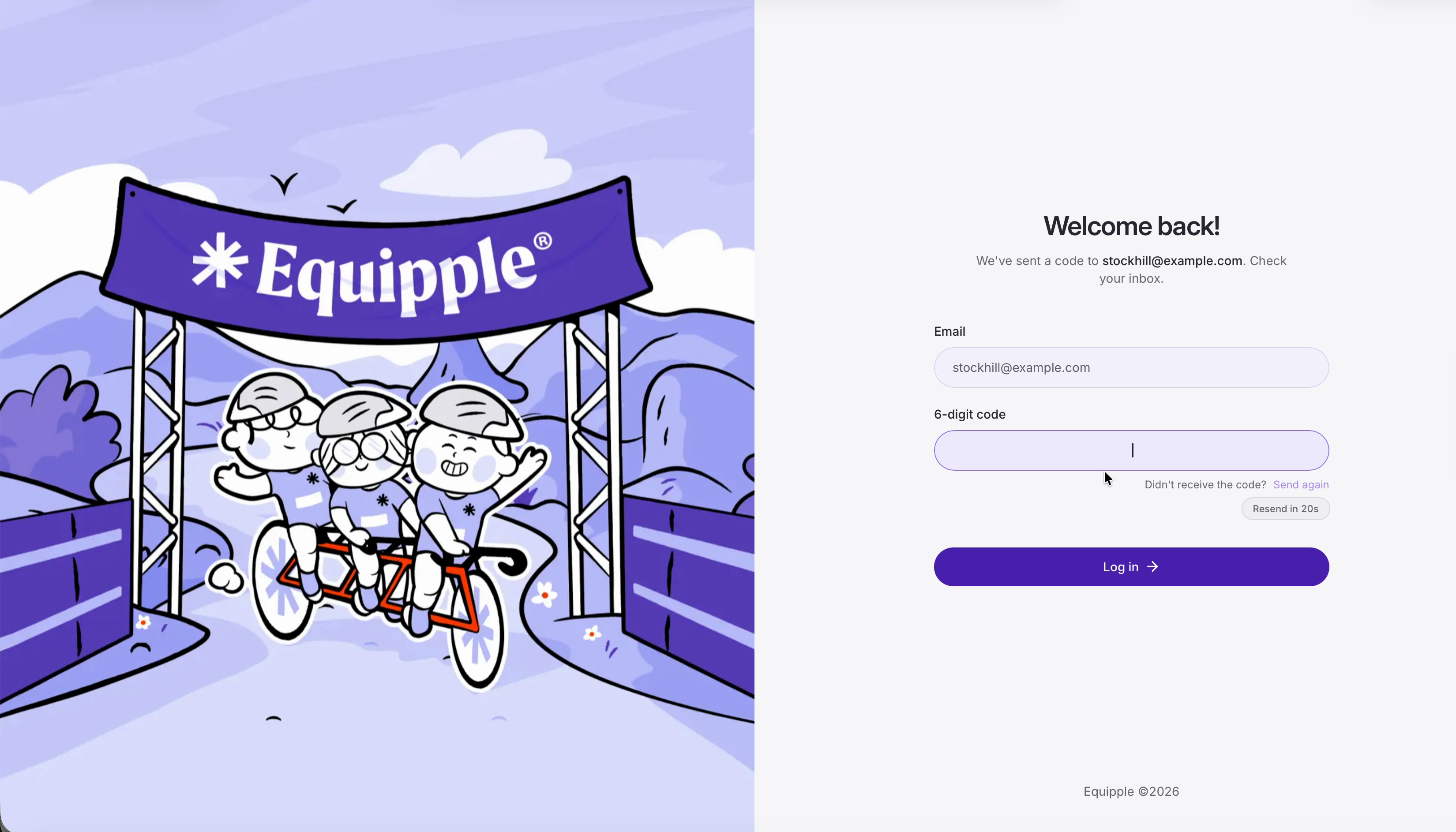
Nb. No code showing up? Click ‘Send again’ underneath the code field to ask for a new one. A grey ‘Resend in…’ pill counts down for a short while straight after, so there is a brief wait between requests.
Step 3 – Enter the code and log in
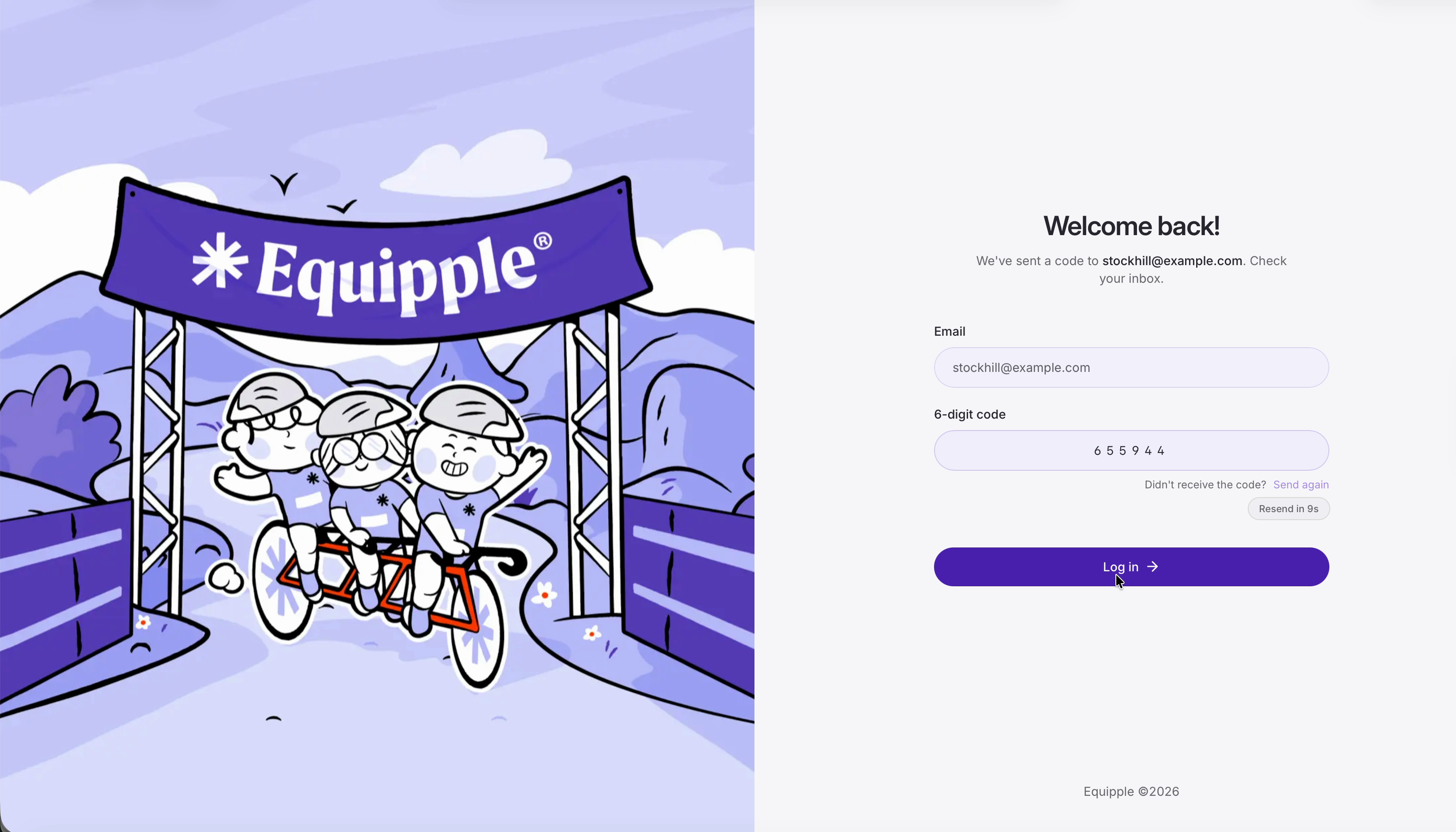
• Copy and paste the six digits into the ‘6-digit code’ box (or better yet, just click 'Log In' from your inbox and it will take you straight there!
• Click ‘Log in’
Checking it worked
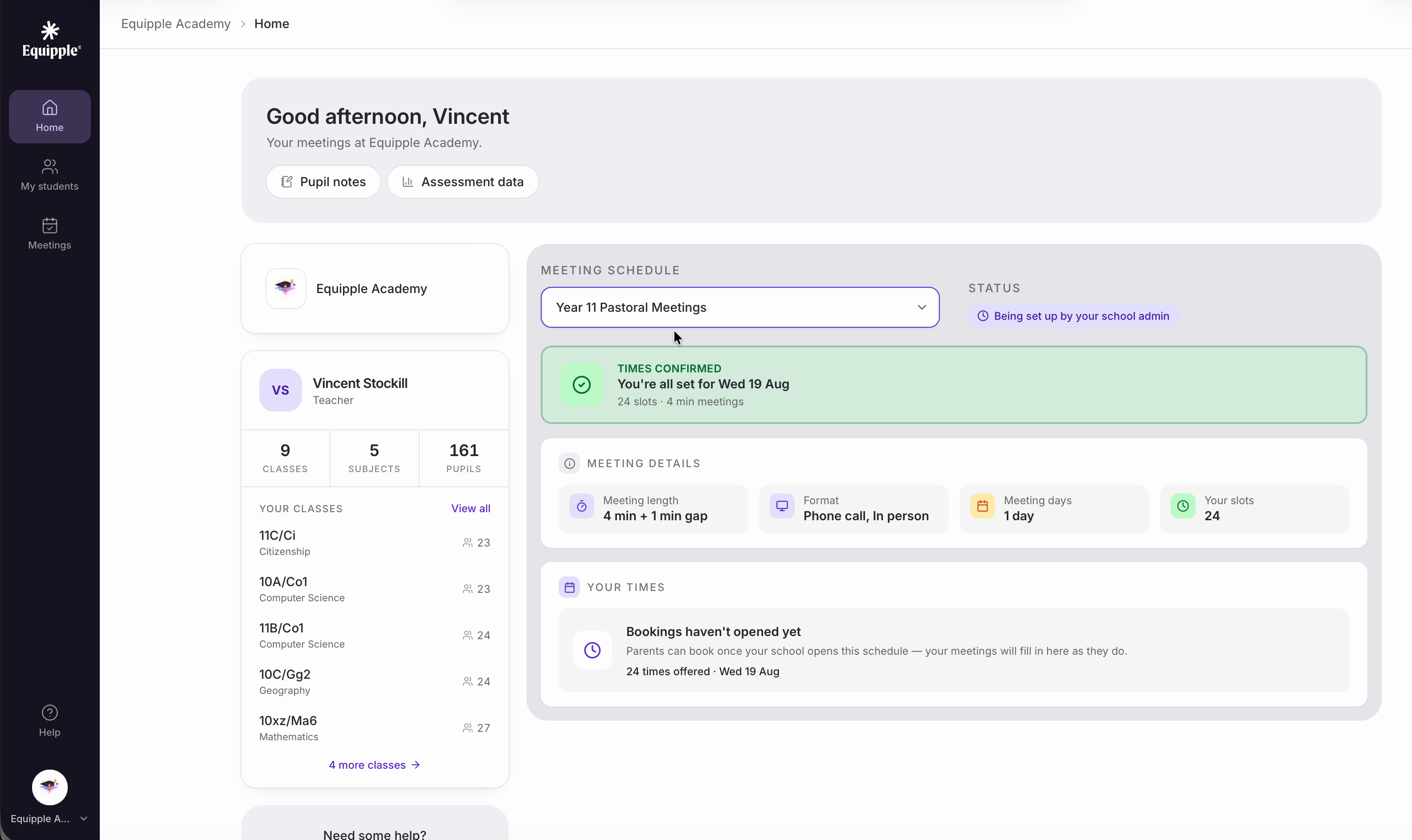
• You’ll land on your ‘Home’ page, greeted by name, with your school’s meeting schedules and your classes to hand.
Was this article helpful?
That’s Great!
Thank you for your feedback
Sorry! We couldn't be helpful
Thank you for your feedback
Feedback sent
We appreciate your effort and will try to fix the article