Sometimes as a teacher, you require a longer meeting than usual with a child’s parents/guardians. If you are a ‘Class Teacher’ and want to book a double length meeting for a specific pupil, just follow these simple steps in this video:
Enabling Double-Slot Meetings (Video Guide)
Enabling Double-Slot Meetings (Text Instructions)
Step 1
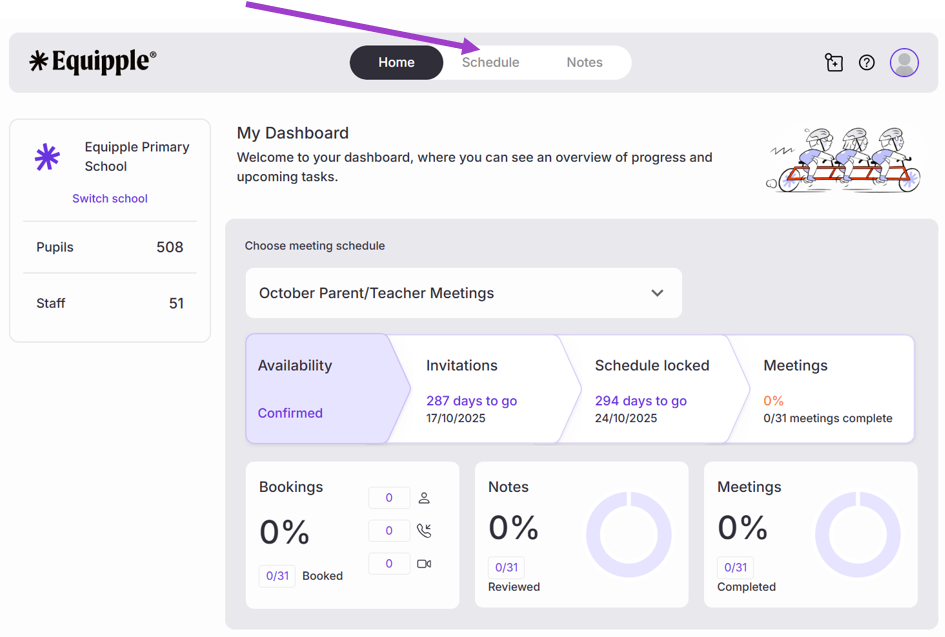
- From the Equipple ‘Home Screen’, you want to click the tab at the top bar which says ‘Schedule’.
Step 2
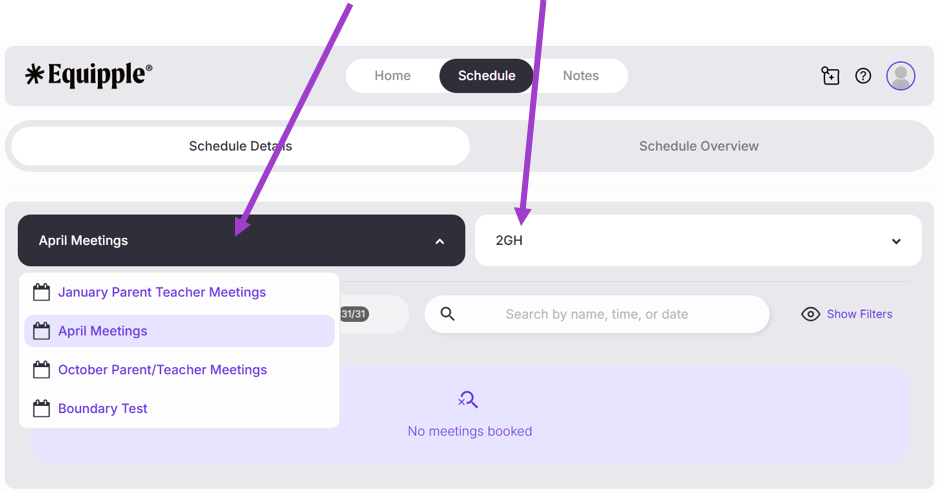
- You’ll be taken to the ‘Schedule Details’ page. From here, click the drop-down menu and select the Parent/Teacher meeting schedule you are preparing for and double check your class is in the next tab.
Step 3
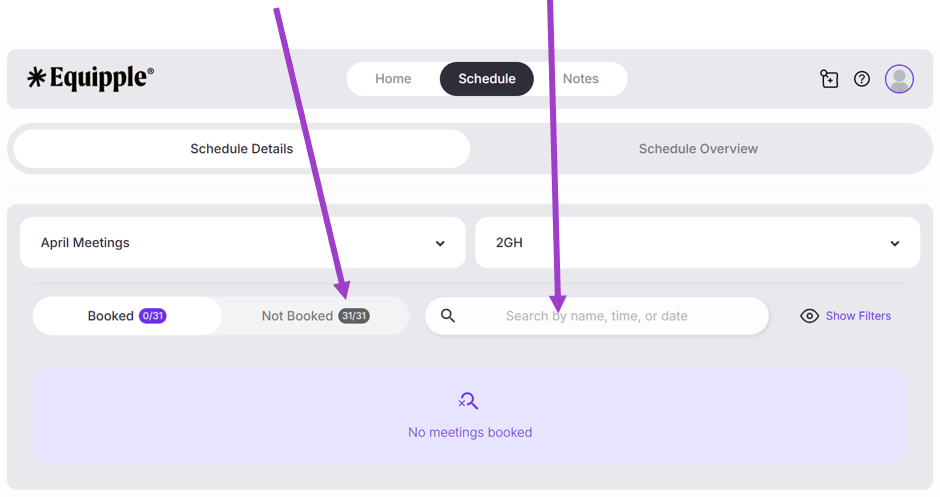
- Click on the ‘Not Booked’ tab to begin finding the child in your class. Alternatively, find their name using the search bar. A list of children and parents/guardians along with the meeting status will appear.
Step 4
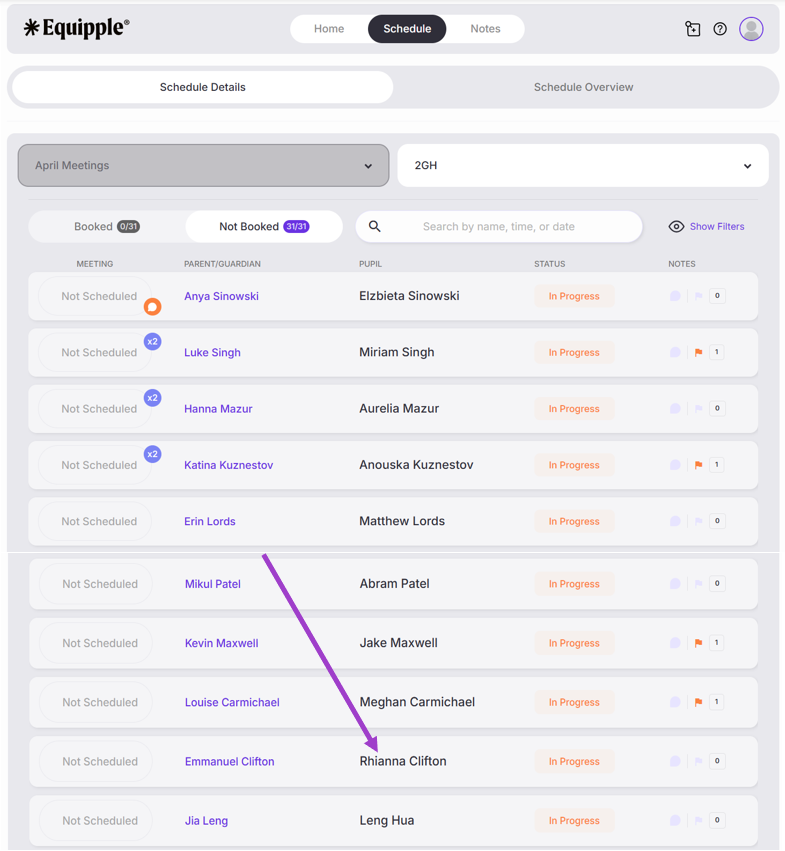
- Click on the name of the child whose parents you want to allow access for booking a double meeting slot.
Step 5
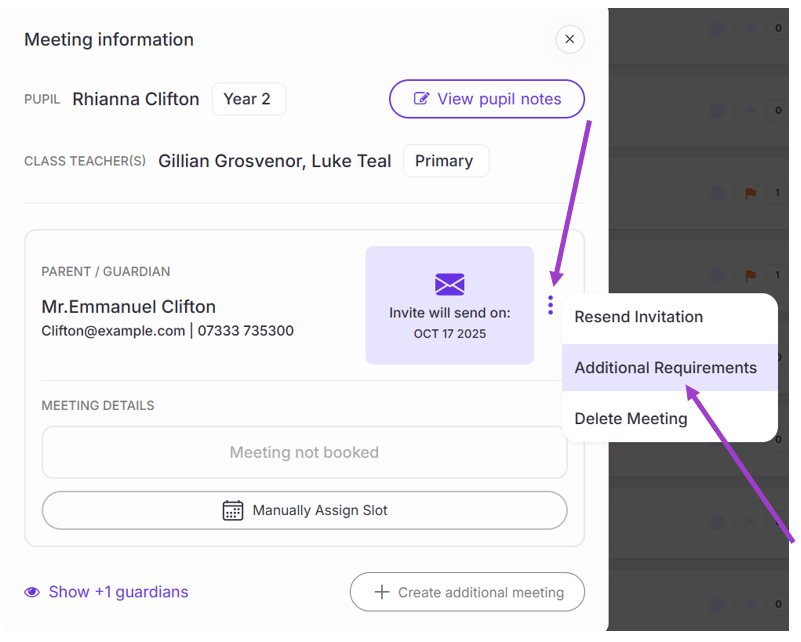
- A ‘Meeting Information’ tab will have opened. On the right-hand side, click the 'three dot' icon.
- Click on the ’Additional Requirements’ option.
Step 6
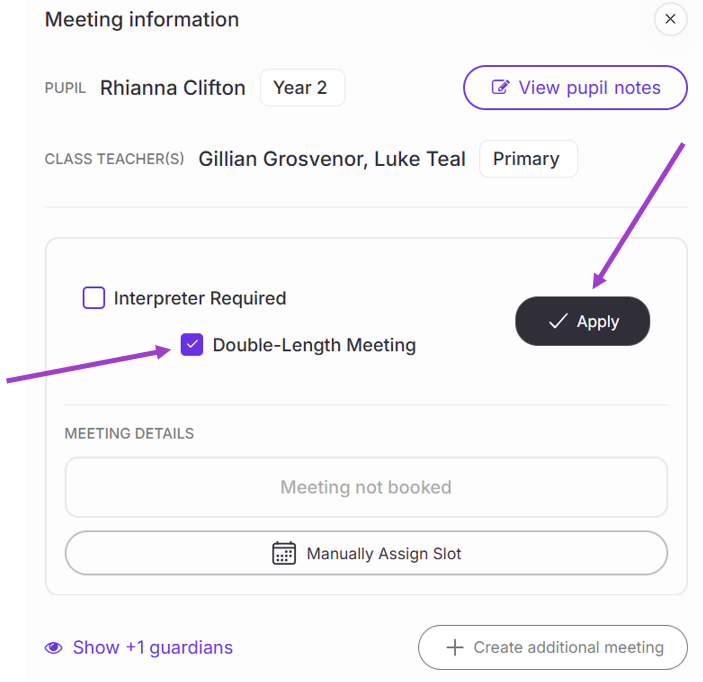
- Select ’Double-Length Meeting’. Now click ’Apply’.
Step 7
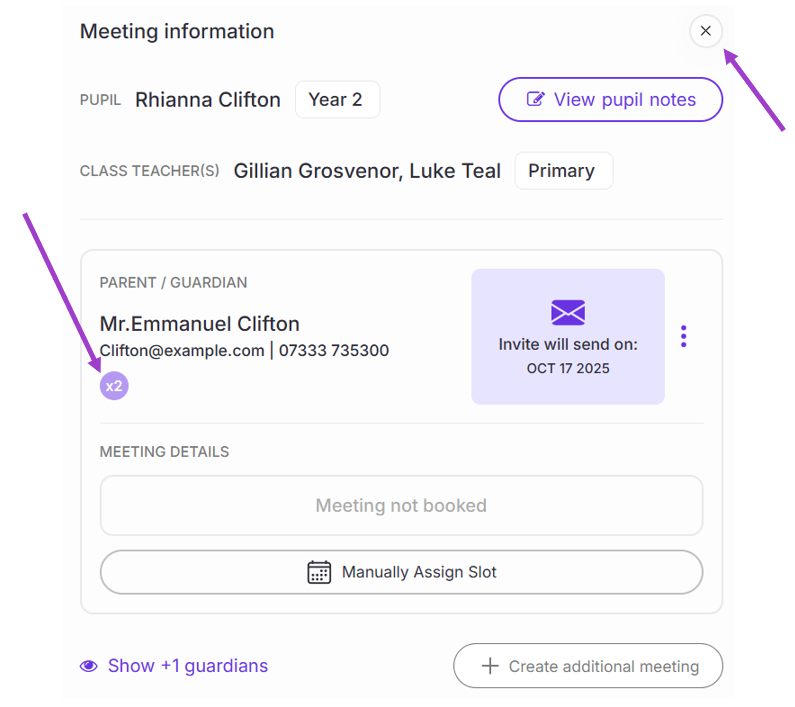
- You will now see a icon underneath the parent contact details showing that it has now saved and that specific parent will be able to book a double-length meeting slot.
- Click the ‘x’ in the corner of the ‘Meeting Information’ tab.
Step 8
- You’ll automatically be taken back to the ‘Schedule Details’ page.
- When you scroll down to that child, you will also now see here the 'x2' icon showing a double-length meeting slot is available for that parent to book.
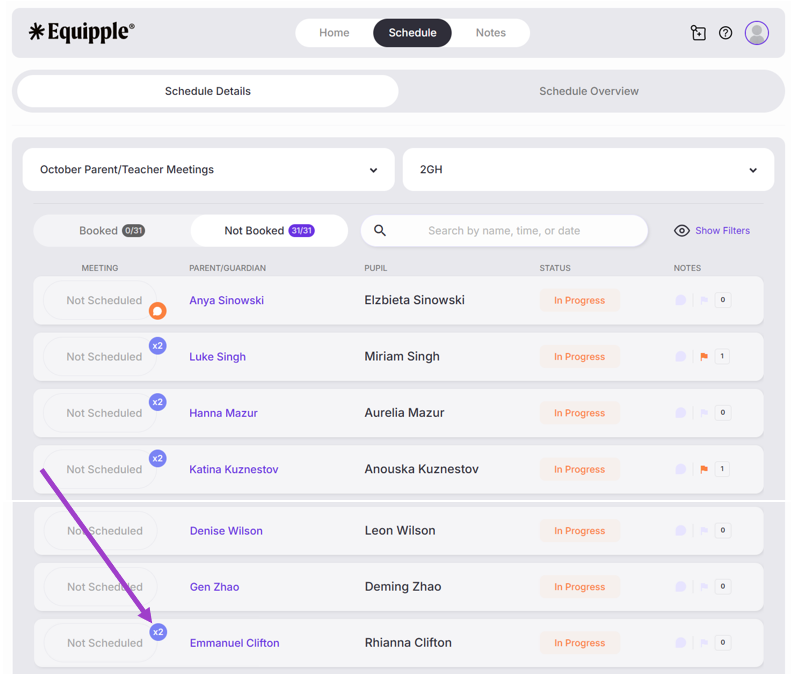
You have now created a double-length meeting slot for a parent/guardian to book on your schedule.
Was this article helpful?
That’s Great!
Thank you for your feedback
Sorry! We couldn't be helpful
Thank you for your feedback
Feedback sent
We appreciate your effort and will try to fix the article