This is an article for School Admins (usually SLT and/or Office staff) only. If you are not a School Admin for Equipple, you will not have the necessary permissions to follow these steps.
As a School Admin, you are responsible for inviting teachers who will be conducting Parent/Teacher Meetings. If a teacher is incorrectly associated with a class and needs to be removed, follow these simple steps to update the association:
Step 1
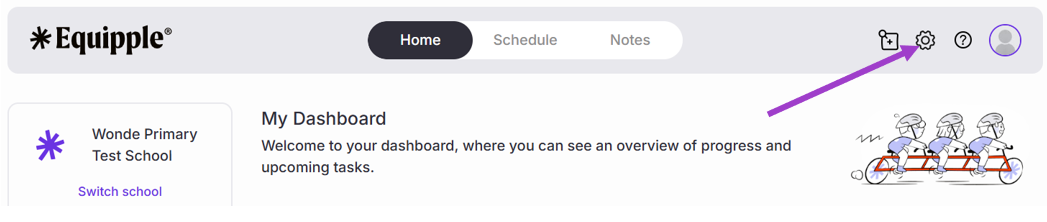
- From the Equipple ‘Home Screen’, you want to click the settings icon at the right-hand side of the top bar.
Step 2
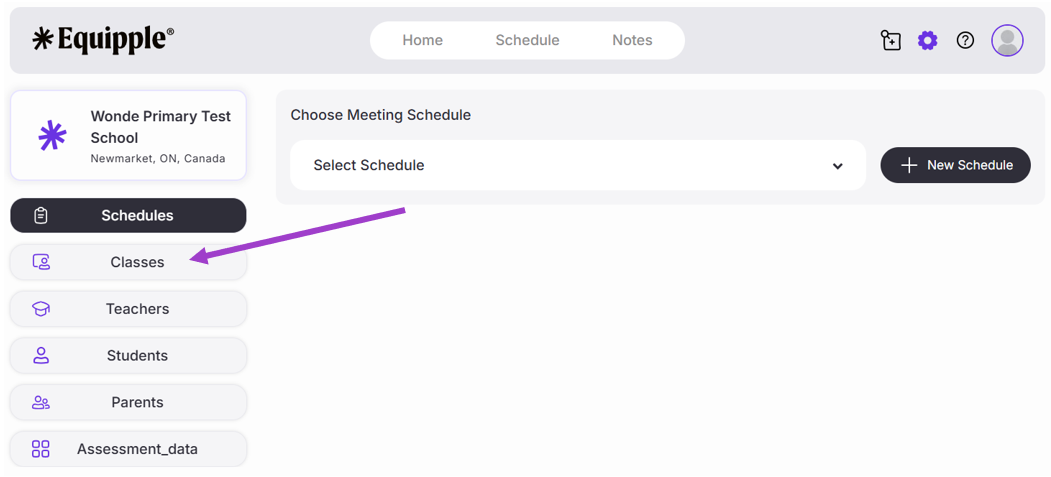
- On the left-hand side, click ‘Classes.’
Step 3
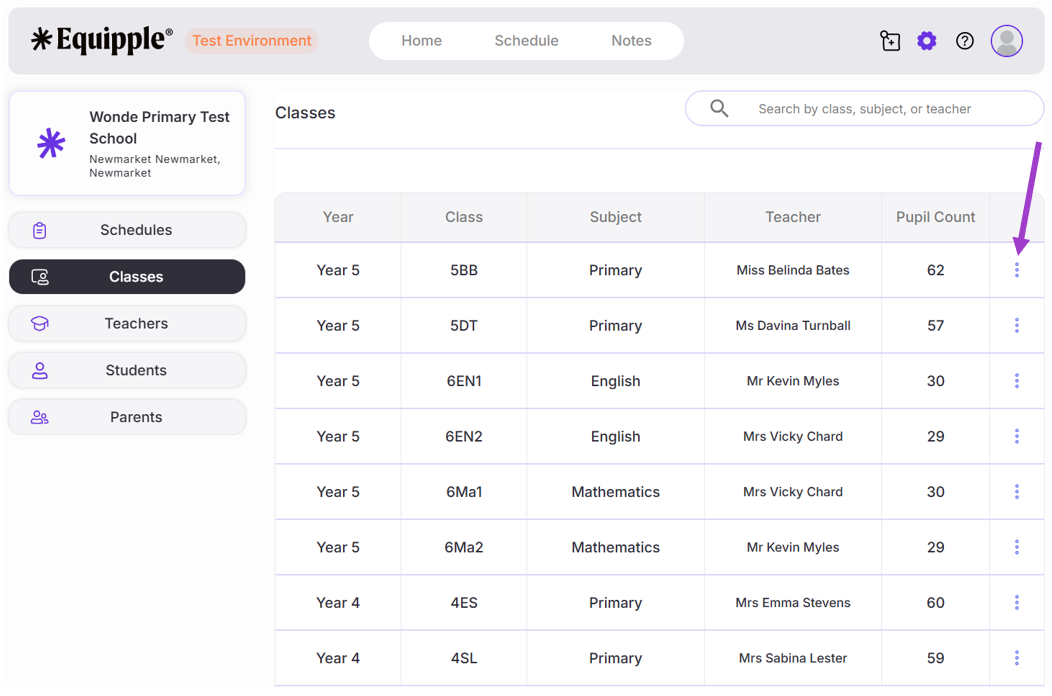
- A list of Teachers and their associated class will appear.
- Click on the ‘3 dot icon’ next to the Teacher you want to remove from a class.
- In this example, we are selecting Miss Belinda Bates.
Step 4
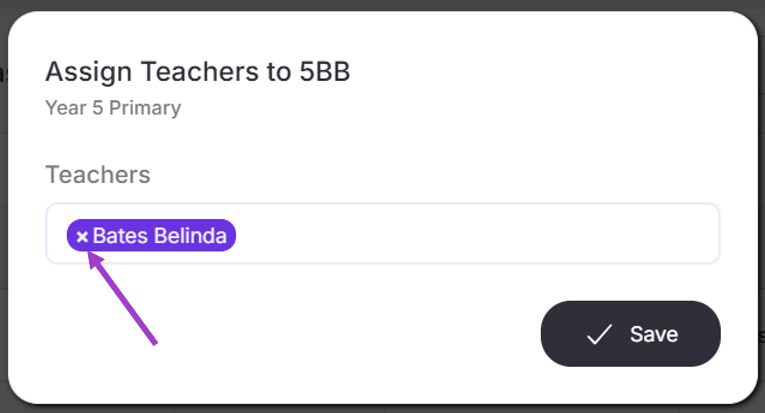
- A pop-up tab will appear displaying which Teacher is associated to that specific class.
- To remove a teacher from that specific class, press the ‘x’ icon next to the name.
- The Teacher’s name will now be removed.
- Click ‘Save’ to confirm the removal of that specific Teacher from the associated class.
- As you can see below, the Teacher associated with that specific class has now been removed.
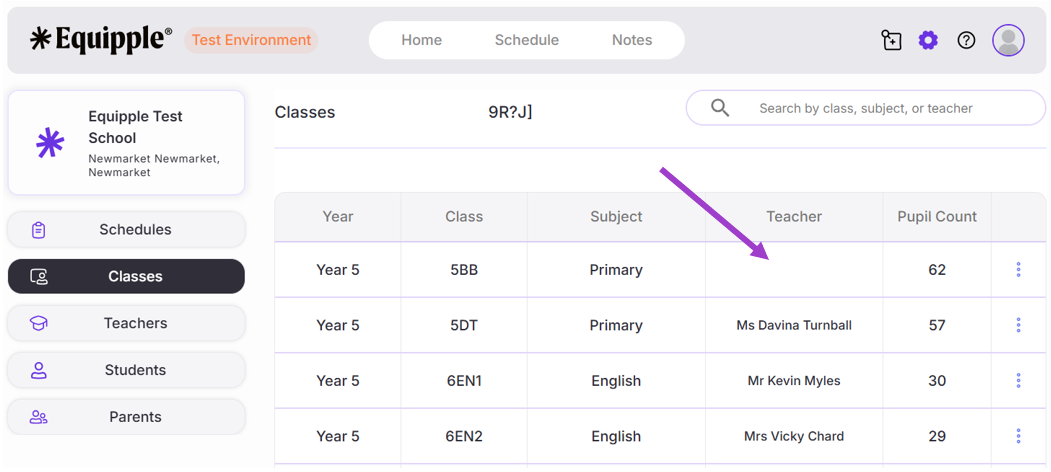
- To add a Teacher to a class, simply click on the ‘3 dot icon’ again next to the Class name.
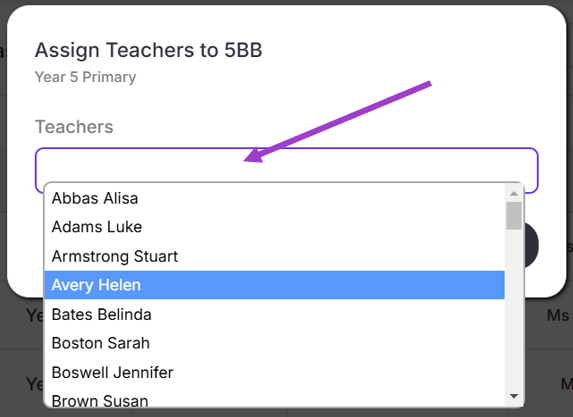
- The pop-up tab will appear. Click on the ‘Teachers’ bar and a drop down menu will appear displaying all the staff on your Equipple account.
- Simply select the member of staff you would like to associate with that class and click ‘Save’.
Congratulations, you have successfully removed a Teacher from a class.
Was this article helpful?
That’s Great!
Thank you for your feedback
Sorry! We couldn't be helpful
Thank you for your feedback
Feedback sent
We appreciate your effort and will try to fix the article